Build 2026: Why Windows 11's New Dev Tools Deserve Your Attention
What Microsoft Shipped at Build 2026
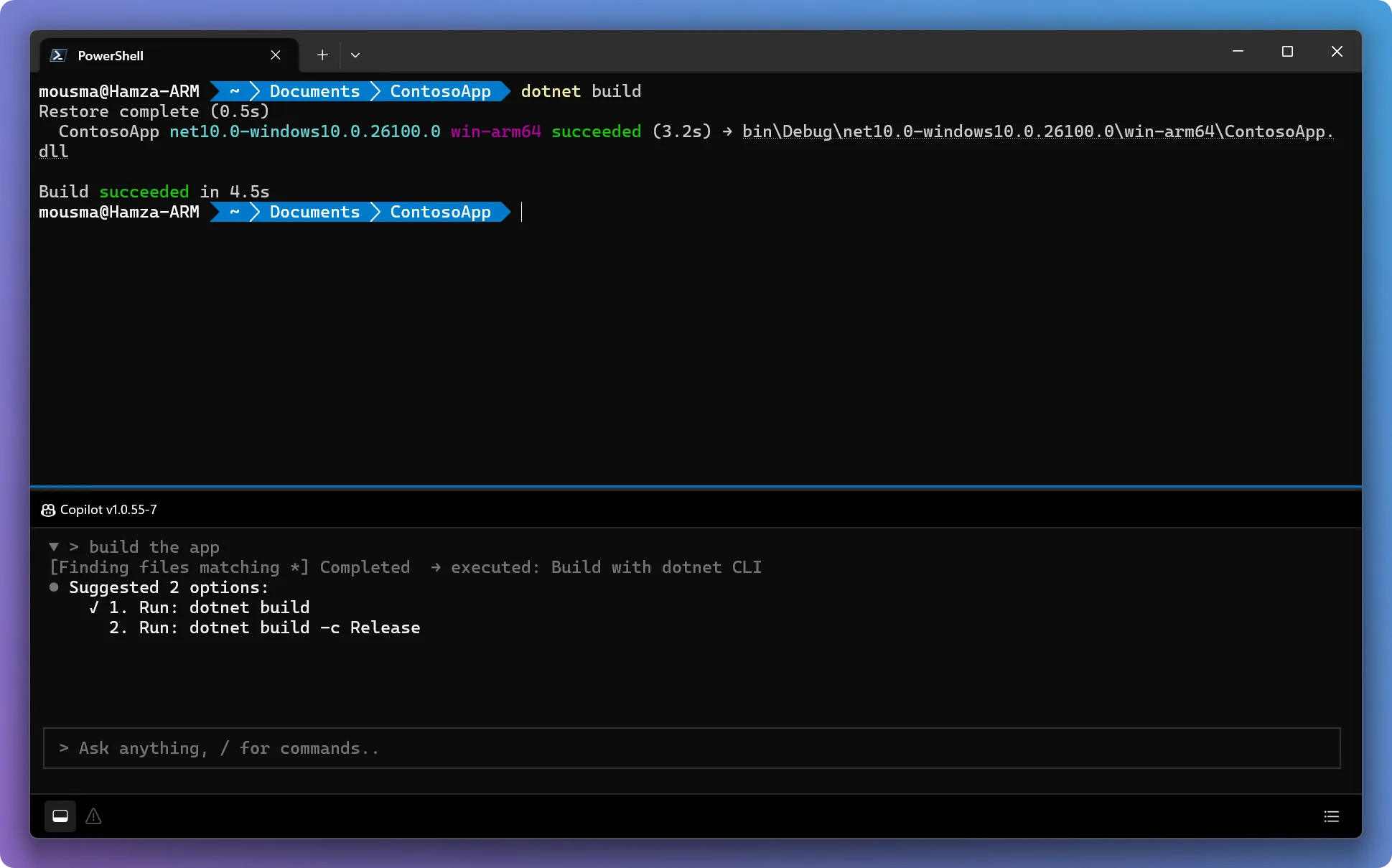
At its Build 2026 developer conference in San Francisco, Microsoft announced three changes to the Windows developer tooling stack that are easy to dismiss as incremental but add up to something coherent: Intelligent Terminal 0.1, Coreutils for Windows, and built-in WSL containers.
Each one targets a different friction point that has driven engineers away from Windows over the past decade. Together, they represent the most deliberate push Microsoft has made in years to reclaim developer mindshare from macOS and Linux.
Intelligent Terminal 0.1: AI-Native Shell, Not a Chatbot Wrapper
Intelligent Terminal is an open-source, MIT-licensed experimental fork of Windows Terminal with native AI agent integration baked in. The announcement describes an agent layer that can analyze errors as they happen, run tasks in the background without blocking the current shell session, preserve context across sessions, and interact with external agents.
This is architecturally different from the dominant AI coding pattern today, where the model attaches to an IDE as an extension and hands off terminal commands through a layer of abstraction. Intelligent Terminal puts the agent directly in the shell — where it can read stdout and stderr, catch failures, and take corrective action without a round-trip through the editor. The terminal is already where build pipelines, test runners, and deployment tooling live. A shell that reasons about its own output is a materially different kind of tool.
The v0.1 caveat is real. Microsoft has launched developer-oriented open-source projects before that saw diminishing investment after the Build keynote spotlight faded. The MIT license is the right call: it means the project can survive community forks even if Microsoft’s attention moves on. Commit velocity on the GitHub repo over the next 90 days is the actual signal.
Coreutils for Windows: Native Linux Commands, No Shim Required
Microsoft built Coreutils for Windows on uutils, a Rust reimplementation of the GNU coreutils maintained by the open-source community. The result is ls, cat, grep, wc, sort, head, tail, and dozens of other standard Unix utilities available as native Windows executables on your PATH — no WSL, no Git Bash, no Cygwin.
These are Windows-native binaries that work in PowerShell, in cmd, and in any environment that reads the system PATH — including CI runners on Windows agents. The practical benefit: a whole category of “this script works on Linux but breaks on Windows” failures disappears. Teams maintaining cross-platform build scripts no longer need to carry separate Windows shims or require every developer to install Git Bash as a prerequisite.
A build script that runs on your GitHub Actions Linux agent can now be much closer to identical to one running on a Windows agent. That alone saves real debugging hours for teams who maintain mixed CI fleets.
# native coreutils in a standard PowerShell session
ls | grep "\.test\." | wc -l
WSL Containers and the Developer-Optimized Mode
Microsoft also announced built-in Linux container support in WSL — removing Docker Desktop from the required installation for developers who need containers on Windows. The described goal is “a built-in way to create and operate Linux containers on Windows,” which points toward tighter OS-level integration than the current setup, which routes containers through a WSL 2 virtual machine and requires a separate runtime.
Alongside this is a developer-optimized Windows 11 mode that ships with Coreutils pre-installed, a familiar shell environment, faster machine setup, and pre-configured containerized development paths. This is the baseline experience macOS has offered developers out of the box for years: a system that does not require significant post-install assembly before you can clone a repo and start working.
The Hardware Counterpart: Surface RTX Spark Dev Box
The tooling announcements don’t stand alone. NVIDIA and Microsoft jointly announced the Surface RTX Spark Dev Box, a compact workstation built on NVIDIA’s ARM-based RTX Spark superchip delivering 1 petaflop of AI compute and 128 GB of unified memory. The explicit design target is running large language models and AI agents locally on Windows.
Intelligent Terminal’s agent layer needs something to talk to. The RTX Spark Dev Box is positioned to be that something — a local inference host powerful enough to run the models that make a shell-level agent actually useful, without shipping requests to a cloud API on every command. The end-to-end picture is: native terminal agent, native Linux commands, built-in containers, local LLM hardware. Each piece is necessary but not sufficient on its own.
What We’re Watching
We build mobile products at Dracode, not Windows applications. But the backend infrastructure, CI pipelines, and build tooling that our work runs on is Linux-centric, and engineers choose their development machines on productivity grounds, not platform loyalty. The Microsoft Build 2026 developer tools announcements move Windows meaningfully closer to a first-class option for teams that have been defaulting to Mac or Linux because the tooling friction was too high.
Coreutils for Windows is useful immediately. WSL containers will land when they reach stable. Intelligent Terminal is a watch-and-wait, not a production recommendation.
The question is whether Microsoft sustains the investment. The Intelligent Terminal GitHub repo’s activity in the next quarter is the most honest signal. If it looks like a maintained project by January, we’ll take a harder look.
Sources
- Intelligent Terminal 0.1 — Microsoft Dev Blogs, June 2, 2026
- Microsoft’s Coreutils project brings Linux commands to Windows — BleepingComputer, June 2, 2026
- Microsoft’s new developer-optimized Windows embraces Linux even more — The Verge, June 2, 2026
- GitHub Copilot app: The agent-native desktop experience — GitHub Blog, June 2, 2026
- NVIDIA and Microsoft Reinvent Windows PCs for the Age of Personal AI — GlobeNewswire, June 1, 2026